 CTrackAI
What's the fastest way to log food in a calorie counter?
Match the method to the food. Snap a photo for plated meals, scan the barcode on packaged food, say simple meals out loud ("two eggs and toast"), and search when you know the exact item. CTrackAI supports all four, and you can check the numbers and tap any item to adjust it.
Which logging method should you use?
Each method is fastest for a different kind of food.
| Method | Best for | What you get | Watch for |
|---|---|---|---|
| Photo | Plated, home-cooked and restaurant meals with several foods | Calories, protein, carbs and fat for every item | Results are estimates; adjust hidden oils and sauces |
| Barcode | Packaged food | The product's nutrition facts | Log the servings you ate, not the whole pack |
| Voice or text | Simple meals you can describe in a sentence | A diary entry from one sentence | Say amounts, such as "two eggs" or "a cup of rice" |
| Search | Foods you know exactly | The food and amount you pick | Choose the right serving size |
Verdict: the fastest method for each situation
- A plated meal: take a photo. One shot covers every food on the plate.
- Something from a package: scan the barcode.
- A quick snack you can name: say it, for example "an apple and a handful of almonds".
- A food you eat the same way every day: search for it.
- Deciding what to eat: use menu scan at a restaurant or fridge scan at home.
Which logging methods are free?
Manual logging, daily goals, charts and streaks cost nothing. AI features such as photo, barcode, fridge and menu scans, AI text logging and AI chat unlock with a short ad (up to 5 AI scans a day). Premium removes ads and adds unlimited scans. See what is free in CTrackAI for the full breakdown.
Why does serving size matter for every method?
The FDA explains that every amount on the Nutrition Facts label, including calories, refers to one serving. If you eat two servings, you get twice the calories and nutrients [1]. Serving sizes reflect the amount people typically eat or drink; they are not a recommendation of how much to eat [2].
So whichever method you use, the last step is the same: make sure the amount in your diary matches what you actually ate.
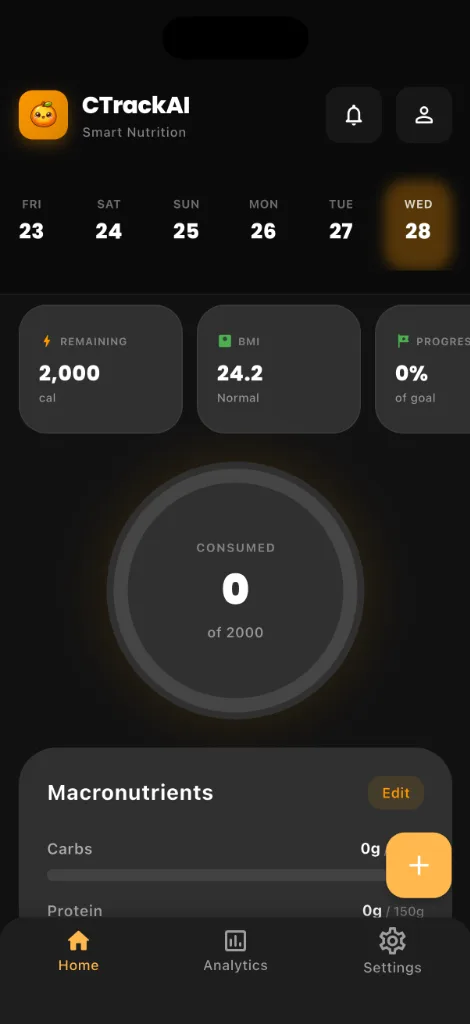
How CTrackAI helps
CTrackAI supports photo, barcode, voice and text, and search logging in one app, so you can use whichever is quickest for each meal. Check the numbers, tap any item to adjust it, and save.


Frequently asked questions
Can I log food by voice?
Yes. With voice and text logging in CTrackAI, say "two eggs and toast" and it is in your diary.
Should I scan the barcode or take a photo of packaged food?
Scan the barcode. It gives you the product's nutrition facts, while a photo gives an estimate. Check the label when precision matters.
Can I edit an entry after the AI fills it in?
Yes. Check the numbers, tap any item to adjust it, and save.
Related guides
Sources
Health note: CTrackAI is a general wellness tool. Photo results are estimates, so check the label when precision matters. It is not medical advice. Talk to a doctor or registered dietitian before changing your diet, especially if you are pregnant, under 18 or living with a medical condition.
About this guide: Published by CTrackAI. It was drafted with AI assistance from the CTrackAI App Store listing and the sources above.