 CTrackAI
How do you count calories from a photo of your meal?
Take a photo of your plate with an AI food scanner such as CTrackAI. The AI names each food and estimates its portion, then shows calories, protein, carbs and fat for every item in seconds. Before you save, check the numbers and tap any item to fix the food or the portion, because photo results are estimates.
How do you log a meal from a photo in CTrackAI?
It takes four steps, and the breakdown appears in seconds.
- Snap. Open the scanner and photograph the meal. It can be home-cooked, packaged or from a restaurant.
- Let the AI read the plate. AI names each food on the plate and estimates the portion.
- Check the numbers. You get calories, protein, carbs and fat for every item.
- Adjust and save. Tap any item to adjust it, then save it to your food diary.
How do you get a better estimate from a photo?
A photo shows what is on the plate, not everything that went into it. A few habits close the gap:
- Fit the whole plate in the frame and keep each food visible.
- Use good light so the food is clearly visible.
- Add what the camera cannot see. Cooking oil, butter, dressings and sauces mixed into a dish are easy to miss, so tap the item and adjust it.
- Scan the barcode for packaged food. The barcode scanner gives you the product's nutrition facts.
- Match the portion you ate. If you ate half, change the amount before you save.
How are calories worked out from macros?
Most of the calories in food come from three macronutrients. The USDA's Food and Nutrition Information Center gives the standard values: carbohydrates provide 4 calories per gram, protein provides 4 calories per gram, and fat provides 9 calories per gram [1].
| Macronutrient | Calories per gram | Calories in 20 g |
|---|---|---|
| Protein | 4 | 80 |
| Carbohydrates | 4 | 80 |
| Fat | 9 | 180 |
| Total | 340 |
So a dish with 20 g each of protein, carbs and fat comes to about 340 calories, and the fat supplies more than half of it. That is why a little extra oil or butter can change a meal's total more than you might expect.
Is a photo better than searching a food database?
Neither is always better. A photo is quickest for plated meals with several foods, a barcode suits packaged food, and search works when you know the exact item. The comparison in the fastest way to log food shows which to use when.
How CTrackAI helps
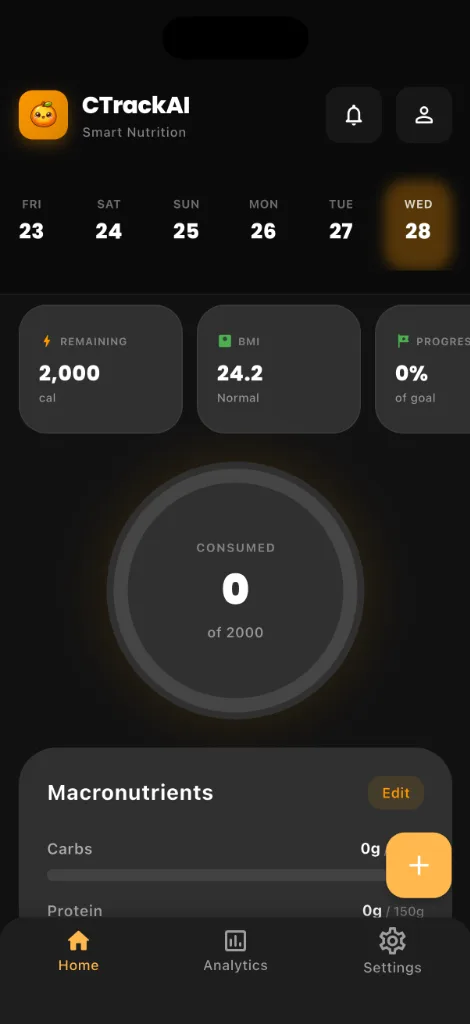
CTrackAI turns a meal photo into a calorie and macro breakdown for every item, then lets you tap any item to adjust it before saving. Your daily calorie target and macro split sit in one ring on the home screen.


Frequently asked questions
Can AI count calories from a picture accurately?
AI photo results are estimates, not exact measurements. Use them as a fast starting point: check the numbers, adjust any item that looks wrong, and check the label when precision matters.
Does photo logging work for restaurant and home-cooked meals?
Yes. CTrackAI's AI food scanner works with any meal photo, whether home-cooked, packaged or from a restaurant, and gives a calorie and macro breakdown for every item.
Do I need to watch an ad for every photo scan?
Not for your first 3 AI scans, which are ad-free. After that, on the free plan, AI features such as photo scans unlock with a short ad, up to 5 AI scans a day, and if an ad can't load, your scan still goes through. Premium removes ads and adds unlimited scans.
Related guides
Sources
Health note: CTrackAI is a general wellness tool. Photo results are estimates, so check the label when precision matters. It is not medical advice. Talk to a doctor or registered dietitian before changing your diet, especially if you are pregnant, under 18 or living with a medical condition.
About this guide: Published by CTrackAI. It was drafted with AI assistance from the CTrackAI App Store listing and the sources above.